Note: AI development is fast – if you’re reading this post six months later, the tips may already be outdated.
AI has already revolutionized the way we work with PR and communication. From brainstorming to analysis and visualization, AI makes it easier and faster to deliver results. But it hasn’t yet disrupted the industry to the point of costing jobs. However, that could (possibly) change when more advanced AI tools like autonomous AI agents from OpenAI are launched – only time will tell.
Right now, however, it looks like the skilled PR professionals are becoming even more skilled with AI – while the less skilled risk being made redundant.
Most people are already working with ChatGPT, but not everyone is taking advantage of all the possibilities the paid version offers – and missing out on much better results.
Many people get stuck and don’t move on if they get an average, slightly-too-far-from-the-correct answer from the AI that they don’t feel they can use.
With a subscription, you get increased speed, the ability to insert much longer texts and set up custom GPTs – your own more targeted language models. If you work full-time with PR and communication, it’s less than a quarter of an hour’s pay per month and it quickly adds up to more efficiency.
Tips to streamline your PR work with AI
Create custom GPTs who are experts in your customers
With a subscription to ChatGPT, you can create targeted GPTs who are experts on your customers or specific topics (e.g. PR and journalism) in minutes. By uploading documents such as brand guides, communication strategies and past press stories, you can train the GPT to understand your customer’s tone of voice and values.
Benefits:
- The GPT will remember previous dialogs and will automatically improve over time.
- Start faster: No need to type long prompts and explain background knowledge to the AI every time.
- More relevant output: The GPT can deliver angles and ideas that build on the customer’s story and identity.
Pro-tip:
- Use each customer GPT as a brainstorming partner to develop angles and pitches that align with their past success stories.
- Have the dialog before you ask for the end product: “Hi ChatGPT. I need to complete a project for [customer name] that is about [topic]. What do you need to know in order to make a strategic presentation for them? “
- NB: Be aware of GDPR and NDAs: Avoid sharing sensitive data or confidential information that cannot be shared with OpenAI.
Give ChatGPT (much) more text to work with
The power of language models is the vast amount of data behind them. So the more you can give it to evaluate, the better answers you’ll get.
Most people try to get ChatGPT to do a task for them based on just one sentence. But this significantly increases the likelihood of “hallucinations” as ChatGPT will “guess” an answer because you haven’t given it enough data to work with.
You’ll get much better results if you copy-paste several relevant texts before your prompt so that the AI has more background knowledge to work from (if the text is central to the customer, consider uploading it to the customer GPT permanently). You may have just read an interesting blog post that gives you an idea for a new effort, or had a long email correspondence with a lot of relevant considerations that are important to include.
With the paid version, you can insert large amounts of text – analyzes, communication strategies, email correspondences, chapters, etc.
Give each text a heading so ChatGPT understands what it is. At the bottom you can then write, for example:
- “Hi ChatGPT. What are the main points in the above text?”
- “Hi ChatGPT. Please write a [text type] based on the knowledge from the above article and the requested requirements from my email correspondence with XYZ…..”
- “Hi ChatGPT. Copy the writing style from above and write a journalistic article with the same topic with the target audience [insert] for the media [media name]”
You’ll get a result that’s significantly closer to what you want, and while you’ll rarely have to finish the rest yourself, you may have saved an hour or two.
Find the most important points in long reports
Reports with hundreds of pages can be hard work to sift through if you need to find the most newsworthy points, for example. This is where AI is your best friend. Drag a PDF into an AI model and ask what the key points are.
Pro-tip:
- Ask the AI to identify specific angles that might be interesting for a particular media and/or your target audience. Follow up with questions like: “How can this data be used in a press release for [media name]?” or “Which statistics are the most attention-grabbing?”
Remember: There’s no guarantee that ChatGPT will respond correctly, so you still need to check. But hallucinations are less likely when you give it more (con)text to work with.
Drag photos or screenshots into ChatGPT
Sometimes you need a text from a piece of paper and wish you could copy-paste it. Now you can. Just take a photo of the paper and drag it into ChatGPT and ask it to write out the text.
The same applies to screenshots, for example from a poorly scanned PDF where you can’t select and copy the text.
Search the web
It doesn’t help much to only have access to knowledge from before 2021, which the free edition has.
With the paid version, you can always ask ChatGPT to search the web for the latest knowledge about trends that are relevant to your customers – and if you ask for something current, it often does it automatically.
Generate unique images with AI
Image generation has become an accessible technology that many people still haven’t embraced in PR, even though it’s ultra-easy and readily available.
- If you have a subscription to ChatGPT, you can generate images based on your descriptions.
- Free of charge? Alternatively, you can use Bing Copilot for free image generation if you have a Microsoft user.
How do you do it?
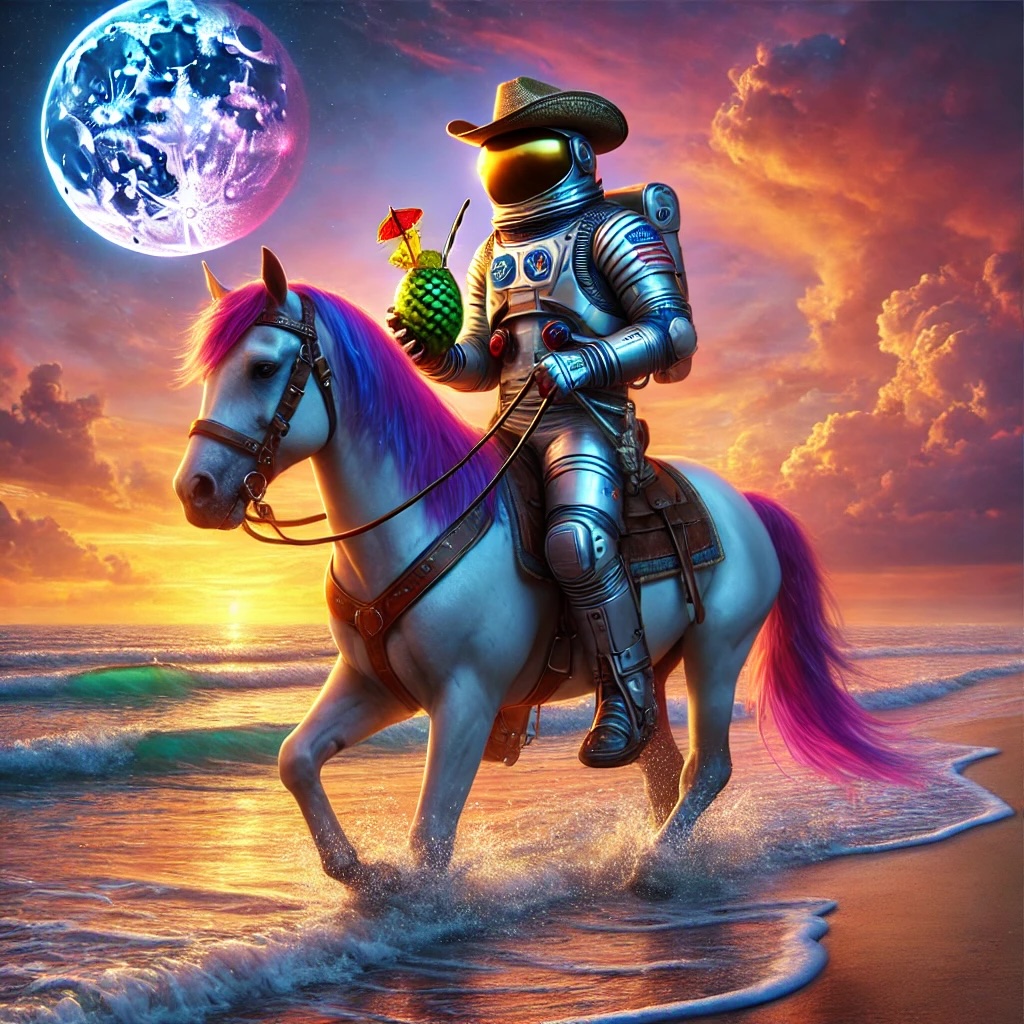
- Describe exactly what you want. The more detail, the better. For example: “An astronaut cowboy riding a horse on the beach with a pina colada, in a colorful setting and in photorealistic style.”
- Use AI-generated images as visual elements for social media, blog posts or presentations that need to grab attention.
- Have you written a blog post? Copy the text into the AI and ask for a suitable image or infographic.
Disadvantages
- AI images often look very polished and artificial. This limits what you can do with them. But the technology is improving fast.
- Be aware of AI fatigue: Not everyone reacts positively to AI images if they are bombarded with them every day. Handheld unpolished photos have become “in” again as people are drawn to authenticity.

You can also edit images directly in ChatGPT: Drag in your image and ask to remove certain elements – for example, to change a text to something else.
In addition, the AI in Adobe Photoshop and other image editing tools has become so powerful that you can do advanced image editing much faster and easier than before. For example, you can remove the background around a person really effectively or remove or beautify elements in an image.
With good reason, legislators are looking at whether there should be a requirement to label images as artificially generated or manipulated – or the opposite. In any case, we would always advise against tampering with the story in an image, while removing a stain on a shirt is fine. Or adding an astronaut in a skylight.
BUT it’s faster to clean up your desktop before taking a photo than to remove a coffee cup afterwards in Photoshop or ChatGPT.
ChatGPT still doesn’t write perfect texts
ChatGPT is not yet capable of producing fully finished articles that match the level we see from skilled journalists and communicators. But it’s still a valuable tool for improving the quality of your work and getting started much faster.
If you get it up and running, you can finish the first 20% of the job in no time. But you still have to finish the rest of the job yourself.
AI is still primarily a helper – not a replacement for humans. But PR professionals who manage to integrate AI into their work will be stronger in the future.
Keep an eye out for AI agents
OpenAI’s Operator will be launched in 2025, and then we’ll be able to create our own digital employees without having to write code.
This may allow you to automate processes such as media monitoring, or receive daily reports with an overview of current relevant media agendas for each customer, as well as suggestions for PR projects based on them, etc. etc.
We follow the development closely and test the new possibilities.
Read more:
Which media should you contact?
If you want to know which media you can send your AI-polished B2B press materials to, read this post:
Overview of business media for professionals in Denmark: B2B media and B2G media.
And is your CEO aware of AI in PR?
Read here to find out why the CEO should be involved in your AI-generated press materials.